
In-house logistics is an operating mode
Choose it in Account → Company. It is not an add-on: it is TrucksOut’s operating mode for businesses that organise their own transport and deliveries.
TrucksOut helps small businesses organise company warehouses, delivery orders, drivers, vehicles and daily planning when deliveries are handled with their own fleet.
A company with a warehouse and a few trucks or vans often keeps orders, addresses, routes and updates across Excel, email, messages and phone calls. When priorities or availability change, rebuilding the picture takes time.
Choose it in Account → Company. It is not an add-on: it is TrucksOut’s operating mode for businesses that organise their own transport and deliveries.
Configure at least one company warehouse; you can create more. Warehouses provide operational references for orders and deliveries without turning TrucksOut into a WMS for stock or inventory.
Create orders in the mode-specific flow, assign drivers and vehicles in the daily plan, then use the weekly view to consult the overall workload. Weekly planning is not an editing view.
Real product screens with synthetic demo data; the interface shown is in Italian. Open an image in full resolution to read the details.
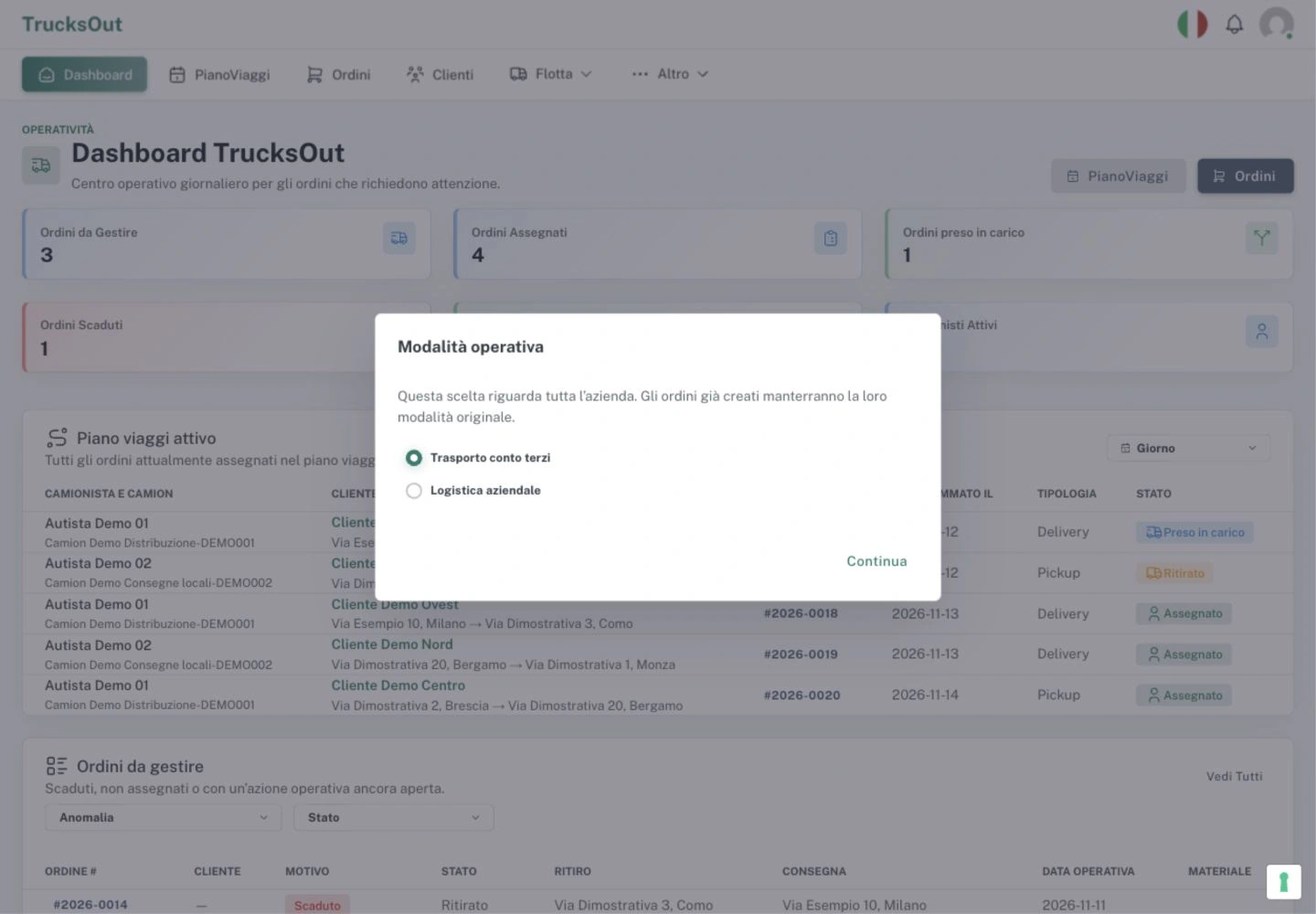
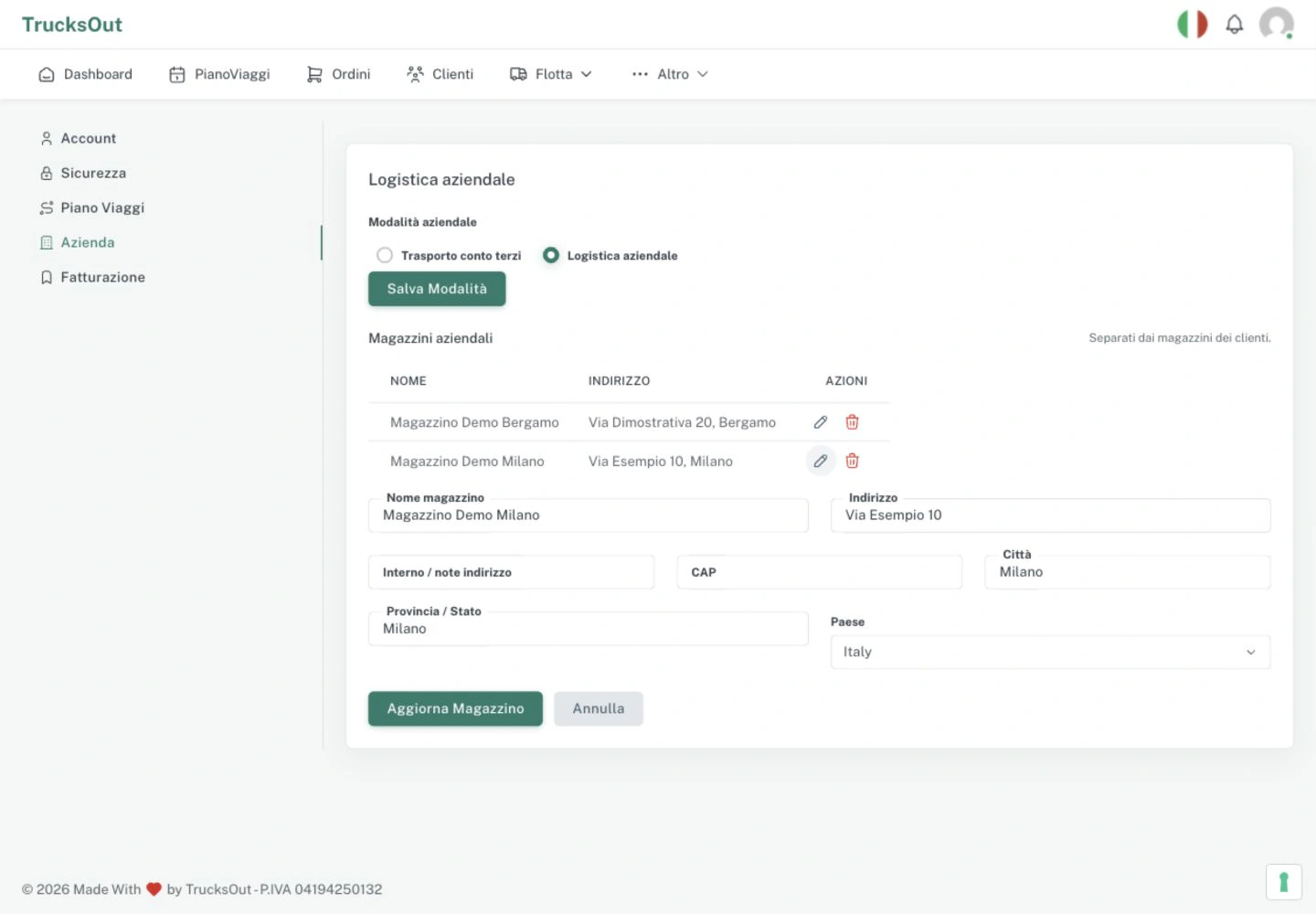
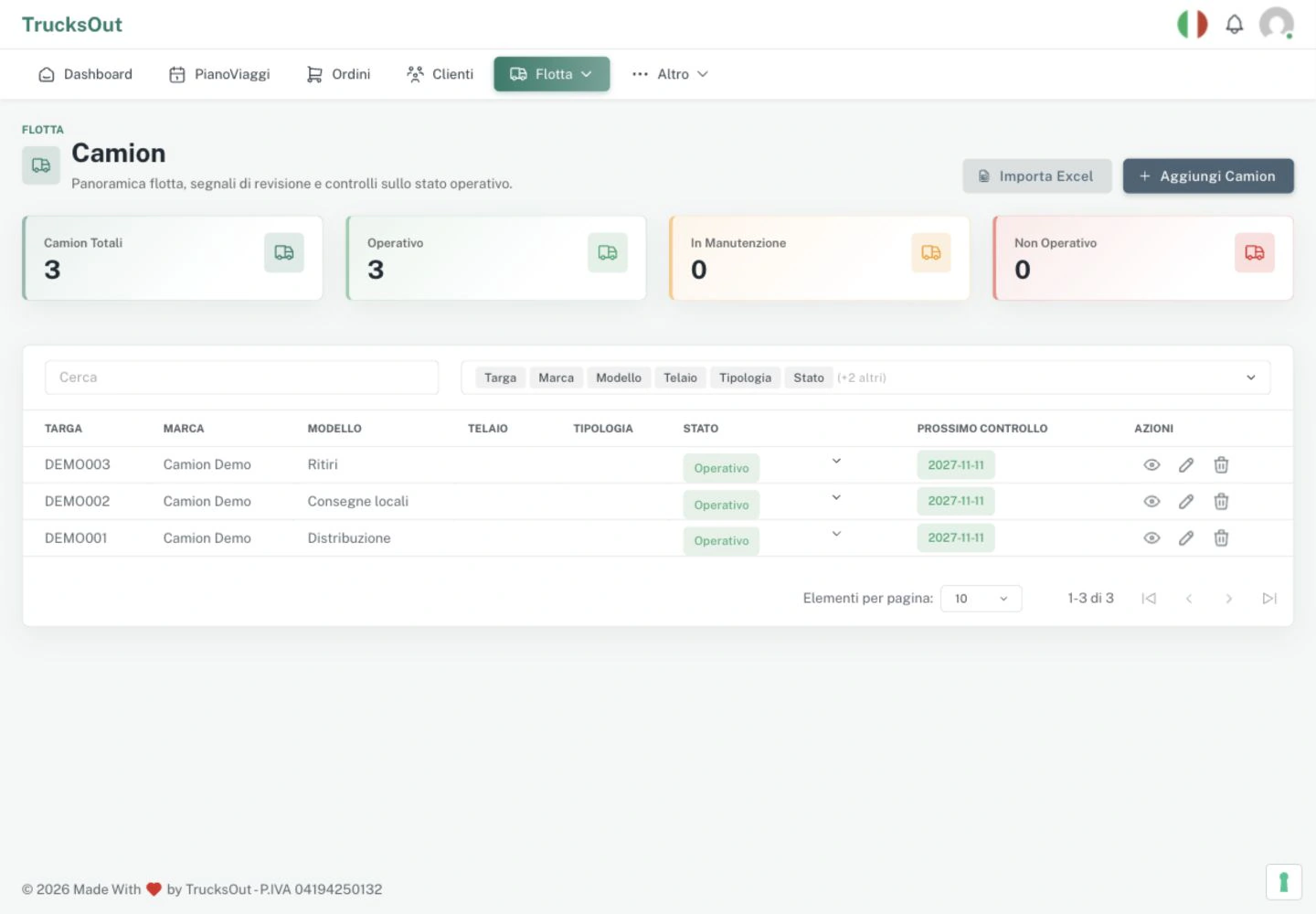
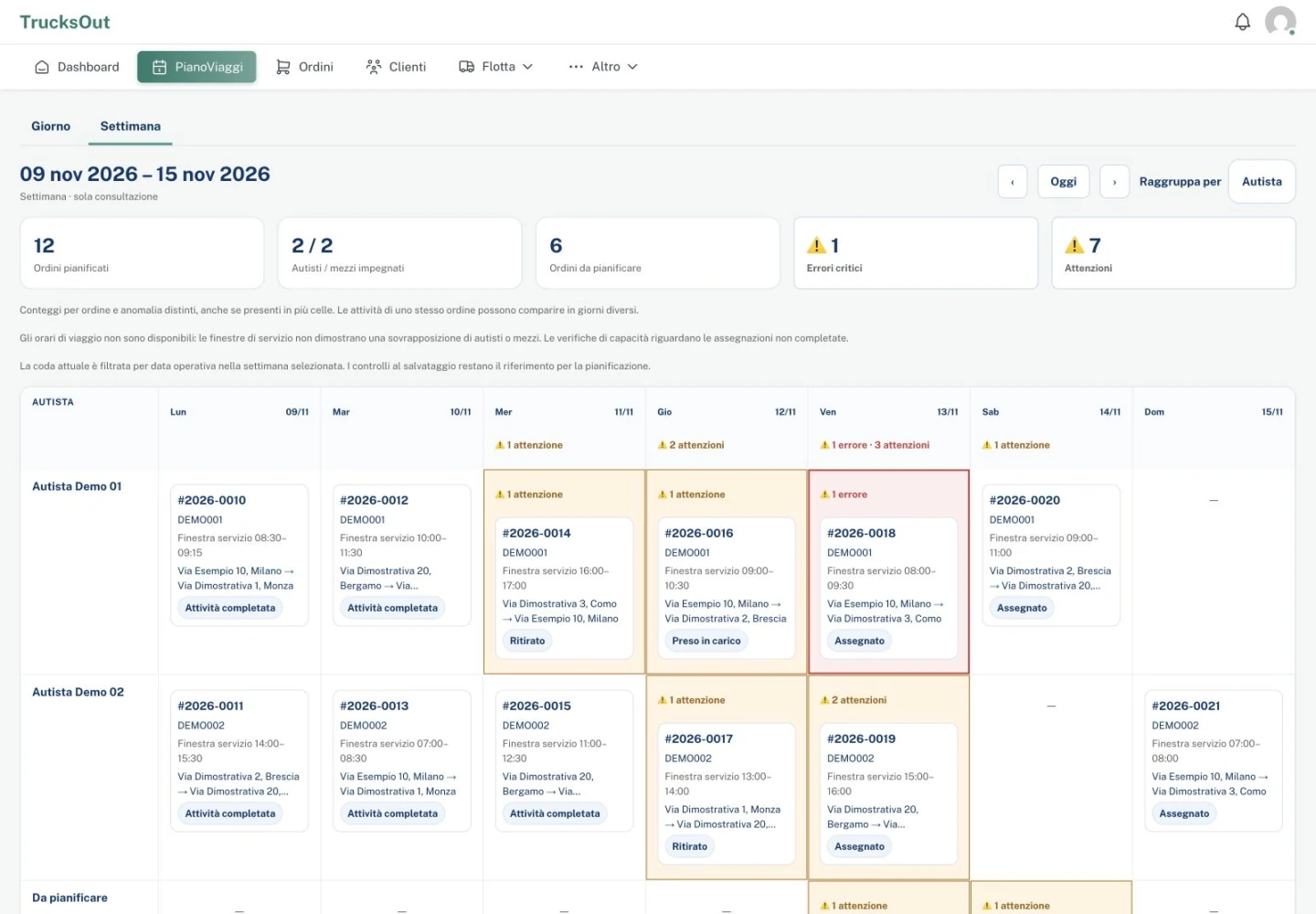
A practical flow for small companies that organise pickups and deliveries directly.
In Account → Company, choose the operating mode for deliveries made with your company’s own vehicles.
Set up at least one company warehouse before working in this mode. You can manage more than one warehouse.
The order-creation flow adapts to the selected company mode and keeps operational details together.
Assign drivers and vehicles in the daily plan. Use the weekly view to consult the week; operational editing remains daily.
Drivers can consult assigned activities in the driver app, while documents and delivery proof stay connected to the operational work.
For example, a small manufacturer delivering its own products, a local distributor with a few vehicles, a commercial business with a warehouse and drivers, or a company that coordinates pickups and deliveries directly.
TrucksOut helps organise operational information and activities. It does not provide a full ERP, advanced stock and inventory management, continuous GPS tracking, certified electronic signatures or eCMR.
Answers about company mode, warehouses and planning.
Yes. In Account → Company, choose In-house logistics to organise deliveries and transport with an in-house fleet.
Yes. In-house logistics requires at least one company warehouse and supports multiple company warehouses.
Yes. Configure at least one company warehouse before using this mode.
Yes. After creating the order, you can organise operational work by assigning a driver and vehicle in the daily plan.
Yes. The weekly view is available to consult the plan. Operational edits remain in the daily view.
No. Company warehouses are operational references for orders and deliveries. TrucksOut is not a WMS for advanced stock and inventory management, an ERP or a continuous GPS tracking system.
Activate the Founder program or request a short demo to understand whether it can help with daily operations.