
Proof is part of delivery completion
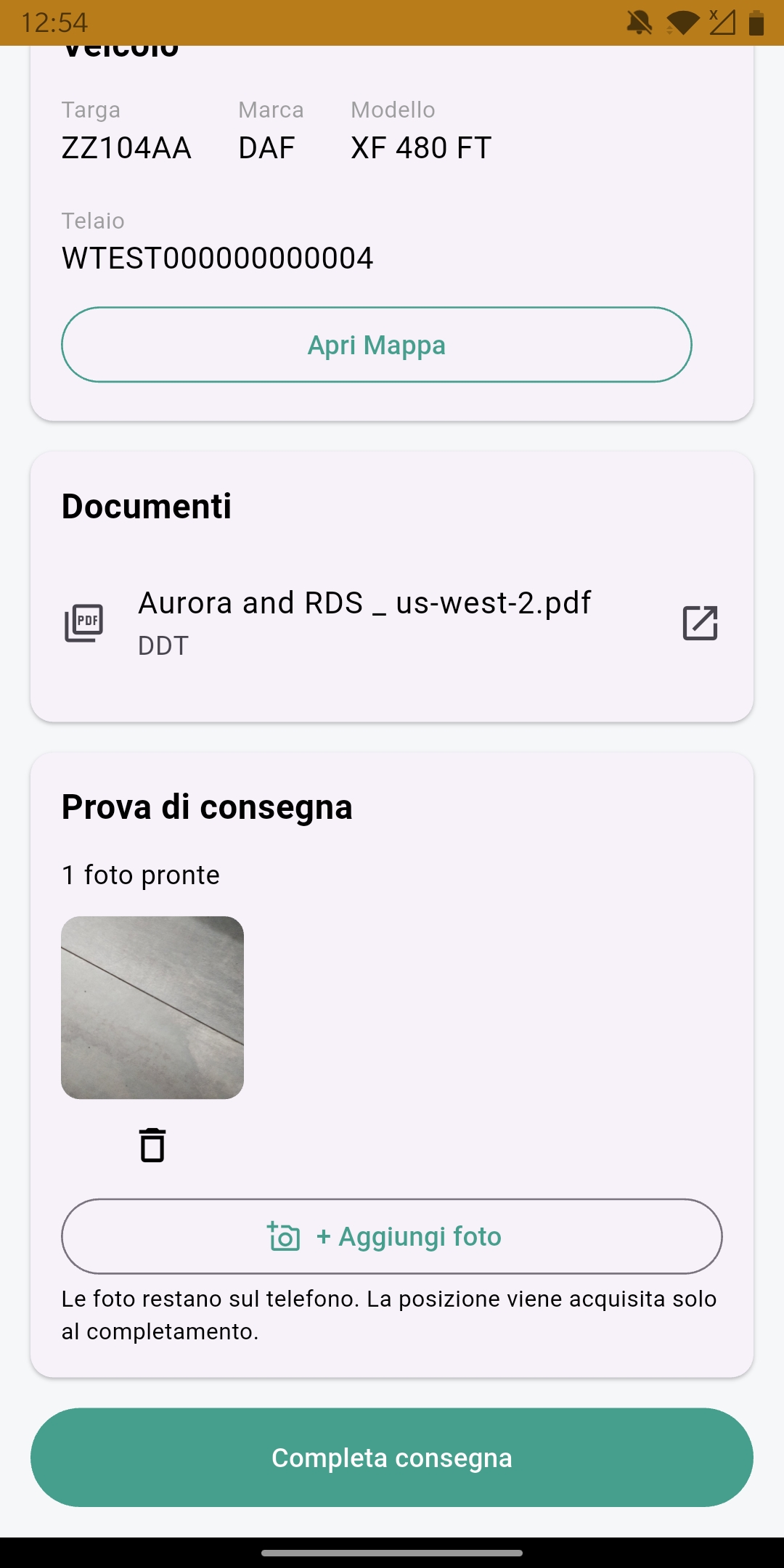
Before completing a delivery, the driver adds the required proof. At least one photo is required in the base POD workflow.
Collect delivery proof in the delivery workflow, so the evidence remains with the work after completion.
Before completing a delivery, the driver adds the required proof. At least one photo is required in the base POD workflow.
The location and time are recorded at completion. This is a punctual POD record, not continuous driver GPS tracking.
Once completed, delivery proof is read-only and remains linked to the delivery. It is operational evidence, not a certified signature, eCMR or legal certification.
The base workflow records one required photo and completion data for the delivery.
The same daily work starts from different information: a transport service for a customer or a delivery organised by your company. Screens show synthetic demonstration data; the interface is shown in Italian. Open each image at full resolution to read the details.
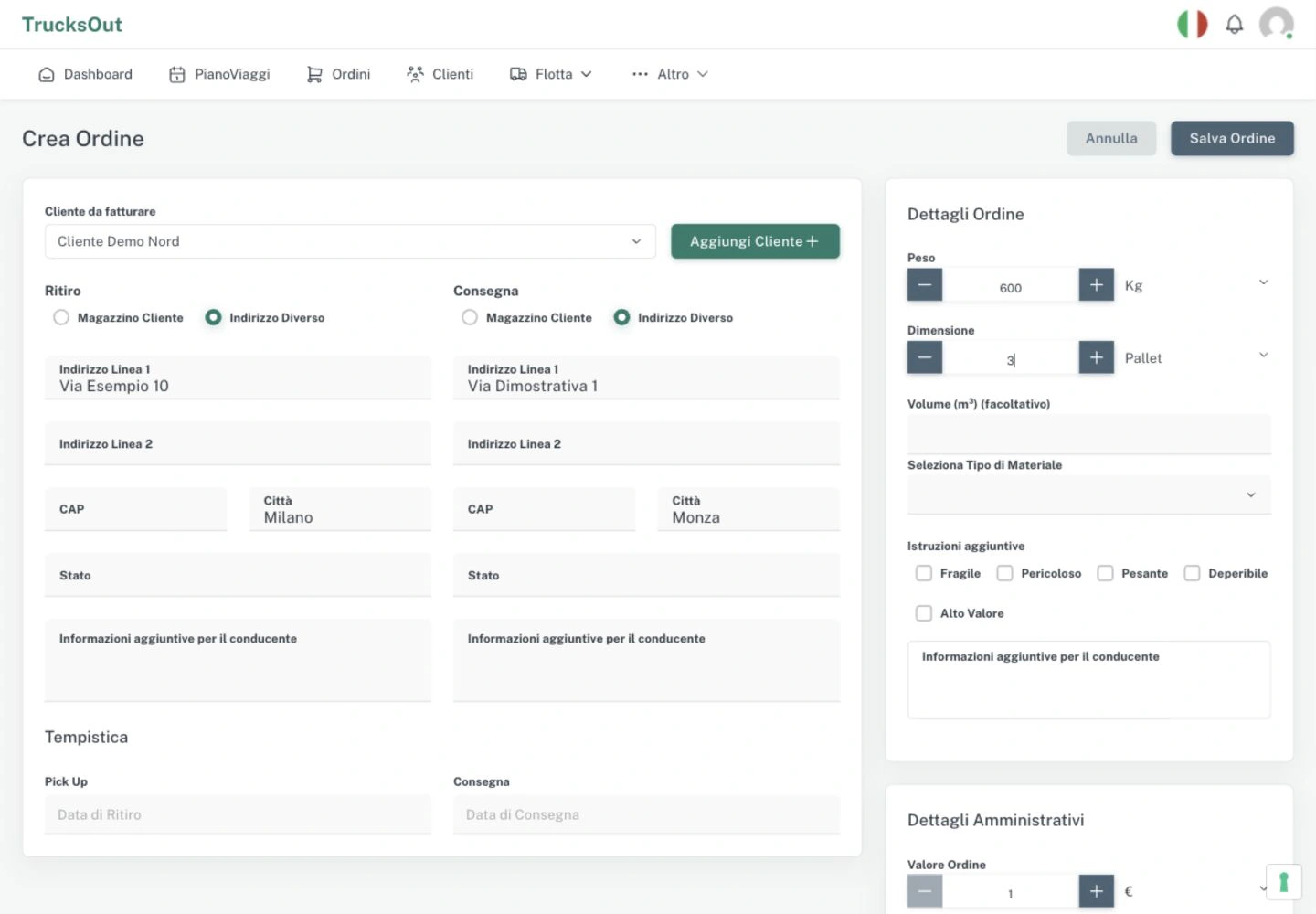
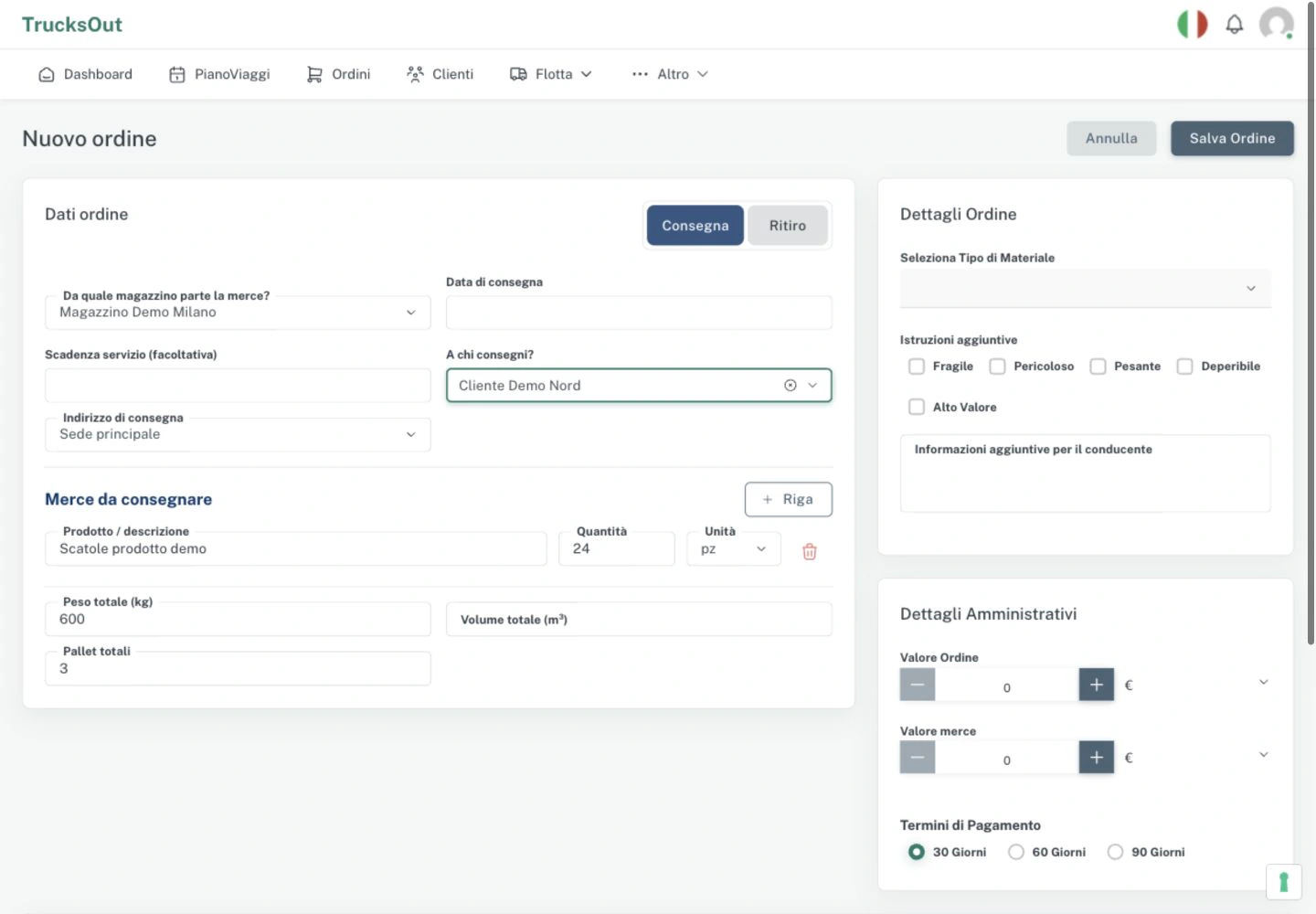
Attach DDTs, CMRs and other files to the order, so the people doing the work find documents in the right context. For deliveries, the POD flow captures the evidence and keeps it connected to the delivery. Real application screen in Italian with synthetic demo data.
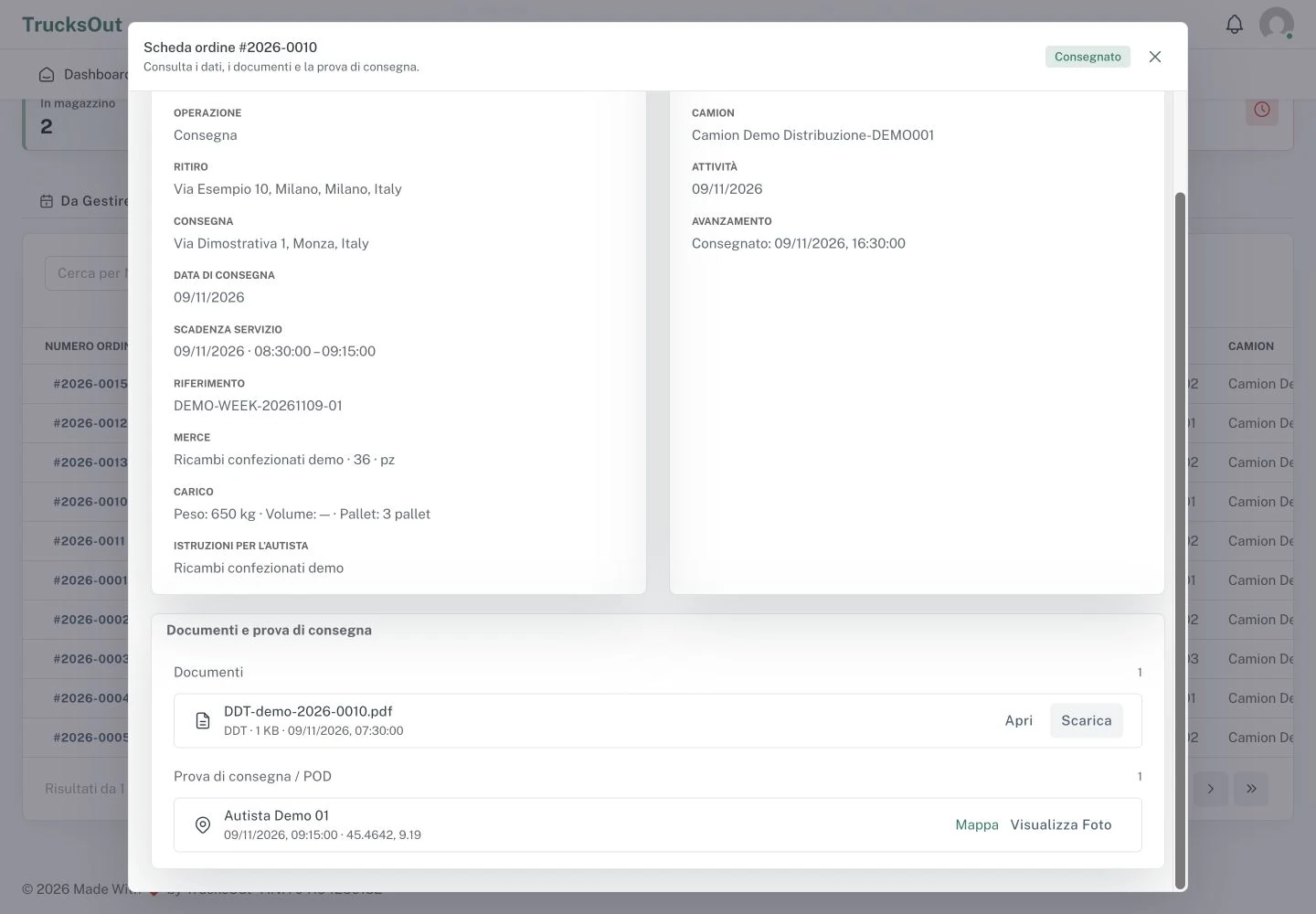
Functions connected to collecting and consulting base delivery proof.
Add the required photo before completing a delivery.
The completion time and point-in-time location stay with the delivery.
Completed delivery proof remains available for consultation.
Further reading related to this operational workflow.
DDT, CMR and other attachments remain linked to the order.
Explore document managementAssigned work and operational information are available in the Android app.
Explore the driver appKeep pickup, delivery, assignment and work status in one flow.
Explore order managementAnswers on photos, location and what the base POD does not claim.
The base workflow requires at least one photo before the delivery can be completed.
No. It does not provide continuous driver tracking; location is acquired at POD completion.
No. Once completed, the delivery proof is available read-only.
Request a demo to review the delivery completion flow with your daily process.