Manage the work from order to proof of delivery

TrucksOut brings orders, company warehouses, planning, drivers, documents and deliveries into one easy-to-follow flow for small for-hire and in-house fleets.

One flow for following transport and deliveries from start to finish

Order → Planning → Driver → Documents → Delivery → POD. The flow works for both for-hire transport and in-house logistics, with each stage connected to the last.

01 · Two operating modes

For-hire transport or in-house logistics

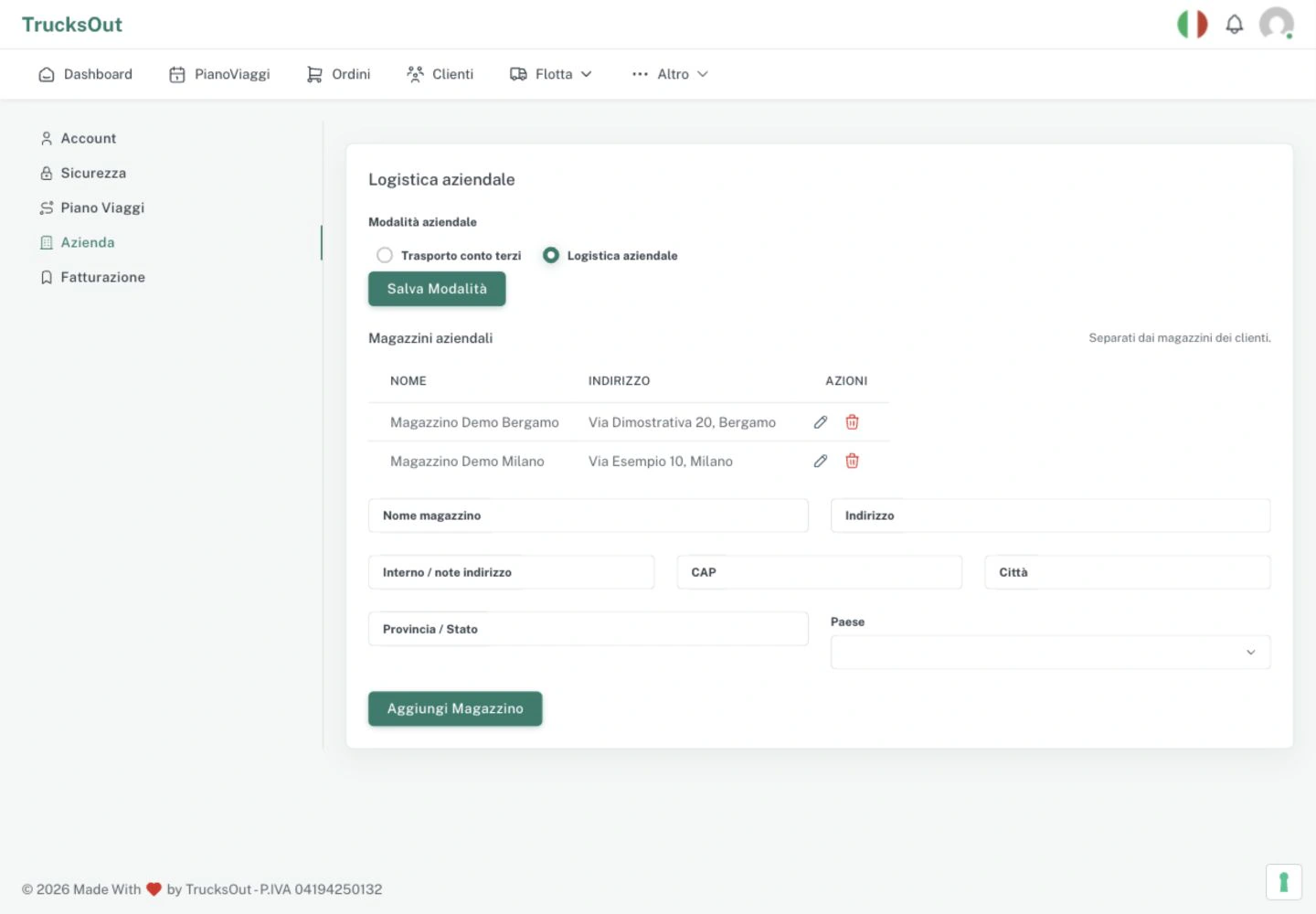
In Account → Company, choose the mode that describes how your company works. For in-house logistics, set up at least one company warehouse—more are supported—and use the order flow for deliveries with your own vehicles.

  • ✓ For-hire transport for services delivered to customers
  • ✓ In-house logistics for deliveries with your own vehicles
  • ✓ At least one company warehouse in in-house mode
  • ✓ In-house logistics is not an add-on
TrucksOut screen for choosing the company type
02 · Daily operations

From the order to a clear daily plan

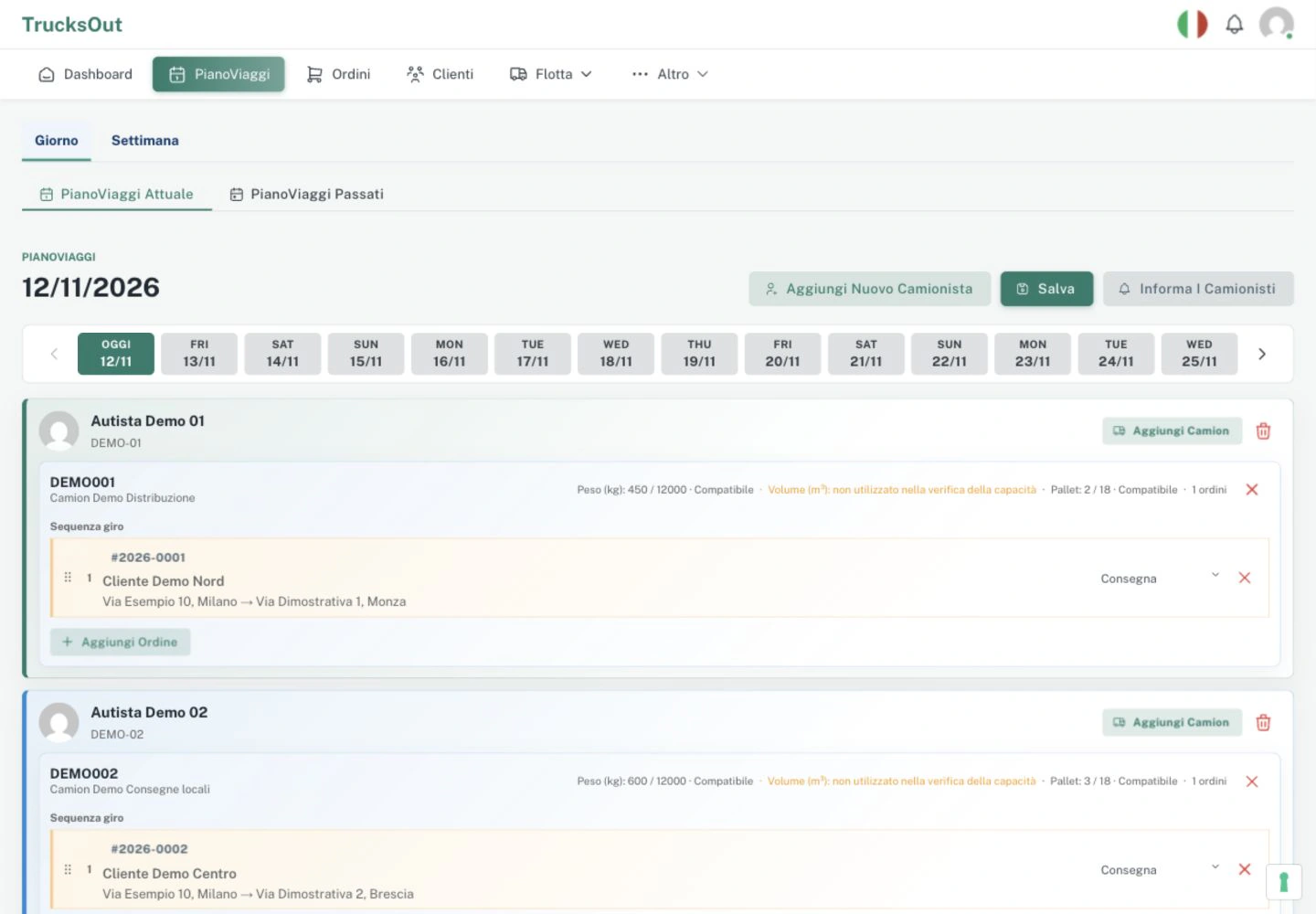
Keep orders, customers, drivers and vehicles in the same operational space. The dispatcher builds the daily plan, assigns resources and reorders activities when the day changes.

  • ✓ Orders and customers stay connected
  • ✓ Import master data from Excel
  • ✓ A daily plan that can be updated during the day
  • ✓ Work statuses in view
TrucksOut daily plan with sample assignments
03 · Driver operations

The plan reaches the driver directly

In the driver app, drivers can check assigned activities, useful details and available documents. They can follow pickups and deliveries and update the job status without depending on repeated handovers.

  • ✓ Assigned pickups and deliveries
  • ✓ Work statuses updated from the app
  • ✓ Documents available for the activity
  • ✓ Operational details before departure
TrucksOut driver app with assigned activities and orders
04 · Documents and proof of delivery

Documents and proof of delivery stay with the work

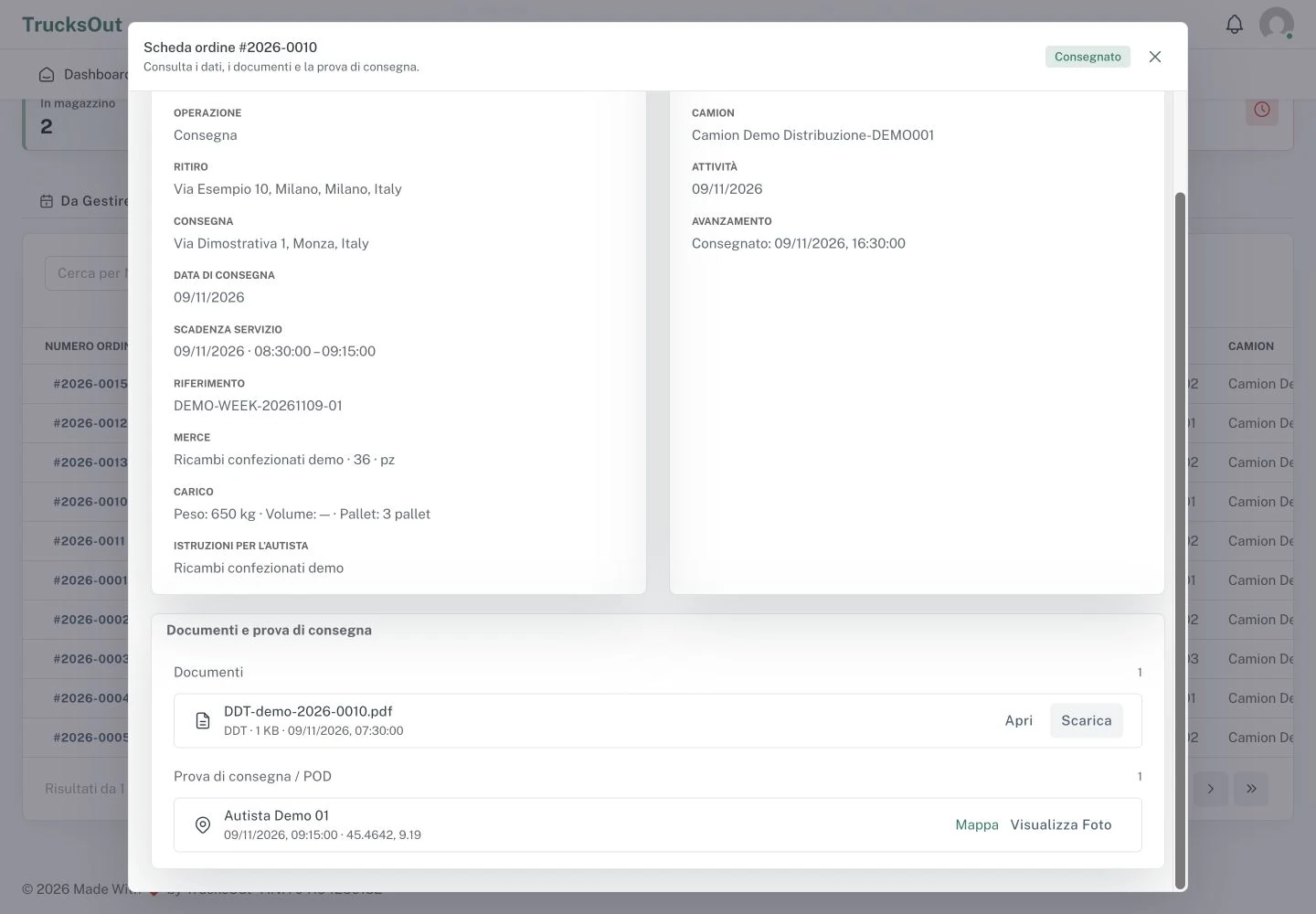
Attach DDTs, CMRs and other files to the order, so the people doing the work find documents in the right context. For deliveries, the POD flow captures the evidence and keeps it connected to the delivery.

  • ✓ Several documents linked to the same order
  • ✓ Proof of delivery linked to the delivery
  • ✓ Location and time recorded on completion
  • ✓ Documents and proof consulted alongside the work
Documents and proof of delivery linked to a TrucksOut order
05 · Planning support

More information while building the daily plan

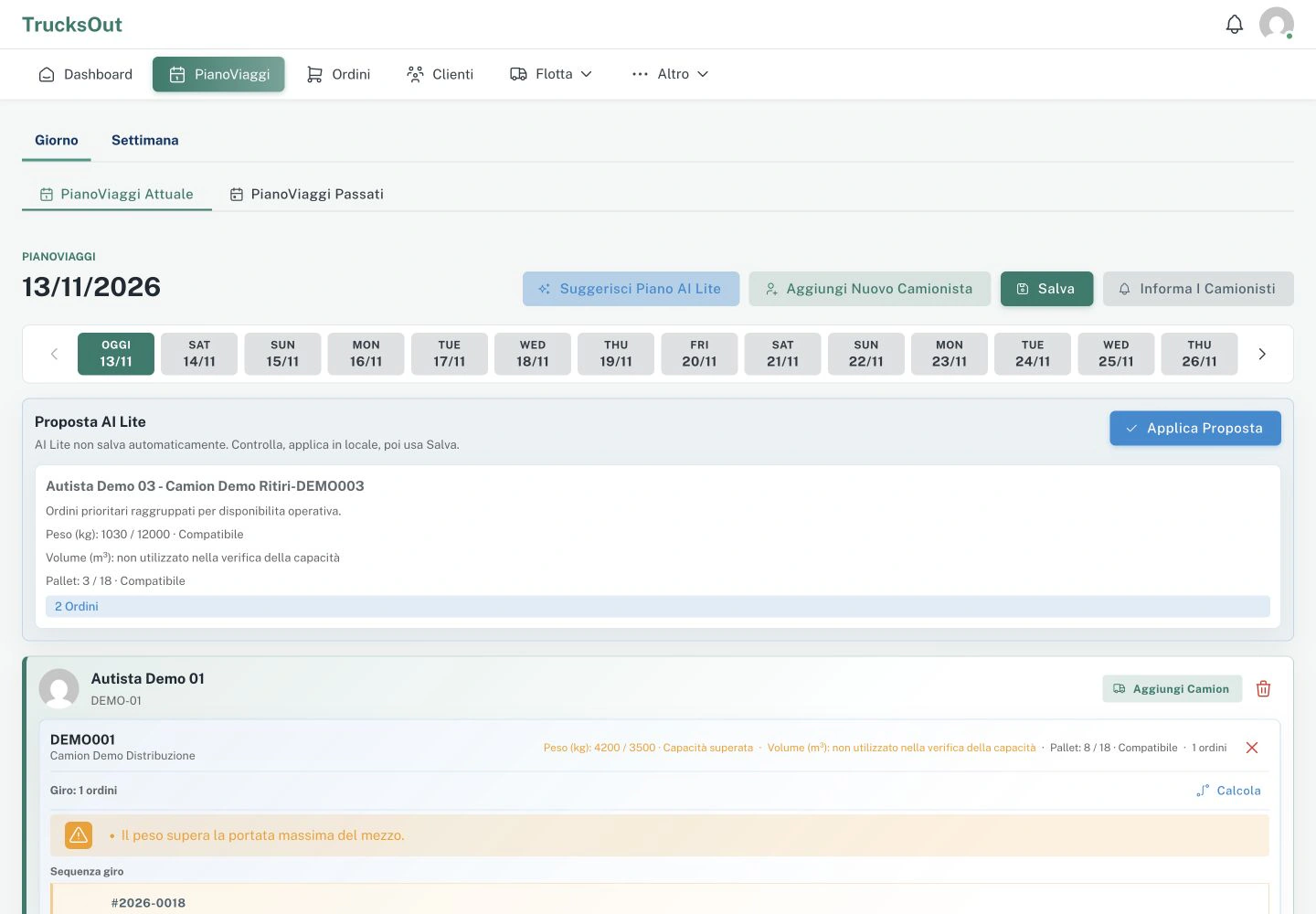
Planning AI Lite starts from an editable daily-plan proposal. ETA Lite adds an indicative driving-time estimate, while Driver Hours makes recorded hours and related operational parameters available during planning. The dispatcher remains in control.

  • ✓ Planning AI Lite: an initial proposal to adapt to real work
  • ✓ ETA Lite: indicative driving-time estimates in the daily plan
  • ✓ Driver Hours: recorded hours available during planning
  • ✓ More context for decisions, with the dispatcher in control
TrucksOut daily-plan proposal with Planning AI Lite

Explore the features used in daily work

See how TrucksOut helps manage documents, deliveries and planning without making daily work heavier.

Want to check whether TrucksOut fits your company?

Activate the Founder program or request a short demo to understand whether it can help with daily operations.